Your cart
There are no more items in your cart
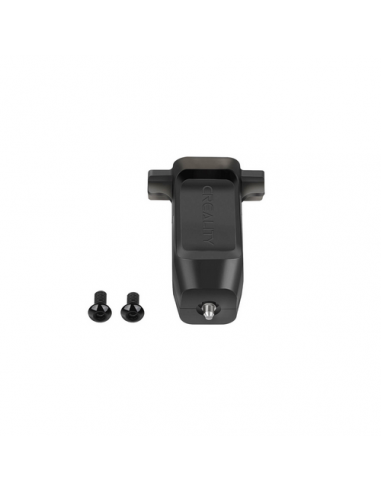



Auto Leveling Probe for Creality 3D Printers
High-Precision Bed Leveling Sensor – Plug & Play
The Auto Leveling Probe is a precision bed-levelling sensor designed to automatically measure and compensate for uneven print beds on compatible Creality 3D printers. By probing multiple points across the build plate, it creates a digital mesh of the surface, allowing your printer to adjust nozzle height in real-time for perfectly even first layers.
This eliminates the need for manual bed levelling, reduces failed prints, and dramatically improves first-layer adhesion — especially on glass, PEI, and textured build plates.
This probe integrates directly into supported Creality mainboards and firmware and installs in minutes using the provided mounting and wiring.
Key Features
-
Automatic multi-point bed probing
-
Real-time Z-axis compensation during printing
-
Highly accurate Hall-effect sensing
-
Improves first-layer adhesion and print consistency
-
Eliminates manual bed levelling
-
Works with glass, PEI, magnetic and coated beds
-
Factory-calibrated and firmware-ready
Compatible 3D Printers
This Auto Leveling Probe is fully compatible with the following Creality models:
-
Ender-5 S1
-
Ender-3 Max Neo
-
Ender-3 Neo
-
Ender-3 S1 Plus
-
Ender-3 S1 Pro
-
Ender-3 S1
-
Ender-3 V2 Neo
-
CR-10 Smart Pro
-
CR-200B Pro
-
Sermoon V2
-
CR-M4
-
CR-10 SE
This is a direct-fit upgrade for these printers — no modification required.
Technical Specifications
| Specification | Value |
|---|---|
| Sensor type | Hall-effect probe |
| Detection method | Contact-based metal pin |
| Trigger accuracy | ±0.005 mm |
| Repeatability | ±0.002 mm |
| Working voltage | 5 V |
| Interface | Creality 5-pin probe port |
| Firmware support | Creality Auto Level / Marlin |
| Mounting | Printer-specific bracket |
Why Install an Auto Leveling Probe?
Manual bed levelling is one of the biggest causes of failed 3D prints. Even a small tilt in the build plate can cause poor adhesion, warped prints, or nozzle crashes.
This probe ensures:
-
Perfect first layers every time
-
Faster printer setup
-
Less material waste
-
Higher print success rate
Once installed, you simply run the auto-level routine and start printing.